A customer management app with every job and bill in one record
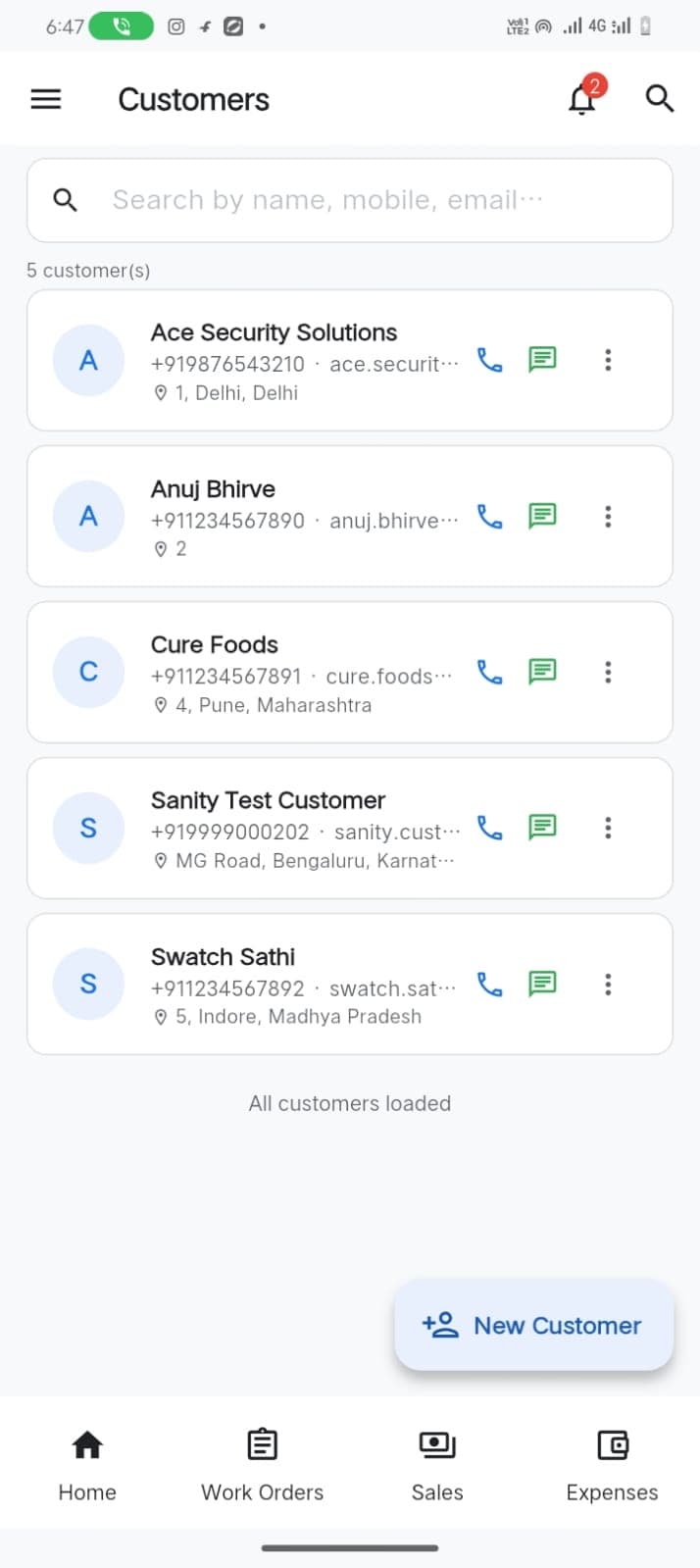
When a regular customer calls, you want their address, past jobs and dues on screen before you've said hello. That's the job of a customer management app. In TeamShastra each customer has one record with phone, address, GSTIN, jobs, bills and money due.
The problem
Customer details are scattered. The owner has some numbers saved in his phone. A technician has the address in his WhatsApp. The GSTIN is on an old bill in a file. When the owner is away, nobody can call the customer back.
History is even harder. A customer calls to say the same problem is back. Who went last time? What was replaced? Was the bill paid? Answering takes three calls and still leaves doubts.
When a technician leaves the job, the customer contacts on his phone leave with him.
Bills are no better. A customer asks for a copy of last year's invoice for their own audit. The office searches an old laptop and a WhatsApp chat before finding it. Small requests like this eat hours each week.
What the customer management app stores
In TeamShastra every customer and supplier is a party in one shared list, filtered by role. Save the name, phone, address and GSTIN. Address search fills the full address and map pin for you, so technicians can open directions to the site.
Add an opening balance if the customer already owes you money from before. From then on, jobs, quotations, invoices and payments are linked to the customer. Open the record to see the full history.
Mark when a customer is next due for a visit, and the app lists who is due soon. A new job for the customer picks up the saved address and pin, which you can edit for a different site. Call and WhatsApp buttons let anyone with access contact the customer from the record.
Each customer's dues are shown on the record, and a business snapshot on the Home screen splits customer and supplier dues by how old the bills are. One glance tells you who to call first about payment.
How it works in the app
- Open Customers and add a new customer.
- Search the address so the map pin is saved, and add the GSTIN if they have one.
- Enter an opening balance if they already owe you money.
- Create jobs and bills for the customer; they link to the record.
- Set a next-visit date for repeat customers.
- Open the customer later to see jobs, bills and dues together.
Who it is for
The full customer list is for owners and managers, while a technician sees customer details only on their assigned jobs. It suits any business with repeat customers: appliance repair, RO water purifier service, pest control and CCTV installers.
Benefits
- Customer details stay with the company, not on personal phones
- Past jobs and bills are one tap away
- Saved map pins help technicians reach the site
- Next-visit dates bring repeat work back on time
- Customers and suppliers share one tidy list
What it does not do
- It is not a sales pipeline tool for tracking leads and deals.
- Bulk SMS and marketing blasts aren't part of it.
Questions about customer management
Straight answers about customer management in TeamShastra.
Can I see all the jobs done for a customer?
Yes. Open the customer to see their jobs with dates and status, along with quotations and invoices. When a customer calls with a repeat problem, you can check who went last time and what was done before sending anyone. It saves a round of phone calls.
Does the app fill the address for me?
Yes. Start typing the address and choose it from the search suggestions. The full address and the map pin are saved. When you create a job for that customer, the site address is filled from this record, and you can change it for a different site.
How do I add money a customer owed before I started using the app?
Enter it as an opening balance on the customer record. The amount is counted in their dues from day one. New invoices and payments are then added on top, so the balance you see is the real one. Suppliers can have opening balances too.
What is the next-visit due list?
For customers who need regular service but do not have a formal AMC, you can set the date of their next visit. Customers who are due show up in a list, so you ring them before they ring someone else. It works well for filter changes and pest treatments.
Can I bring my customer list from Excel?
Yes. Use the data import tool to bring in parties from Vyapar or a spreadsheet. Match the columns, check the preview, and save. Customers and suppliers can come in together, each with the right role. GSTIN, phone and address columns can be matched during the import.
Keep exploring
Plans and prices are on the pricing page.