Appliance repair software for busy home-visit teams
Twelve home visits, three missing parts and one customer who wants the washing machine fixed today. Appliance repair software is built for that kind of day. TeamShastra handles quick visits, spare parts and payment on completion for shops fixing washing machines, fridges, TVs, microwaves and ACs.
How the work really runs
An appliance repair shop takes calls all day. A washing machine is not draining. A fridge has stopped cooling. A TV has lines on the screen. A microwave sparks. Each call is a home visit, often booked for the same day.
A technician might do eight visits in a day across one part of the city. Some jobs are fixed in twenty minutes. Others need a part, so the technician diagnoses the fault, quotes the part, and comes back once it arrives. A few machines are carried to the shop.
Money is collected at the door, mostly in cash or UPI. The technician hands over the day's cash in the evening, often after buying a part or paying for petrol from it.
Calls get mixed up in a notebook. Revisits for parts are forgotten. Spares bought locally are not recorded. Cash handed over at night is short, and nobody can trace why.
Where it usually goes wrong
- Many same-day calls that are hard to share fairly among technicians
- Jobs waiting for a part forgotten after the first visit
- Spares bought on the way paid from collected cash
- Evening cash handover that never matches the day's work
- Customers calling back with the same fault weeks later
Why appliance repair software suits short home visits
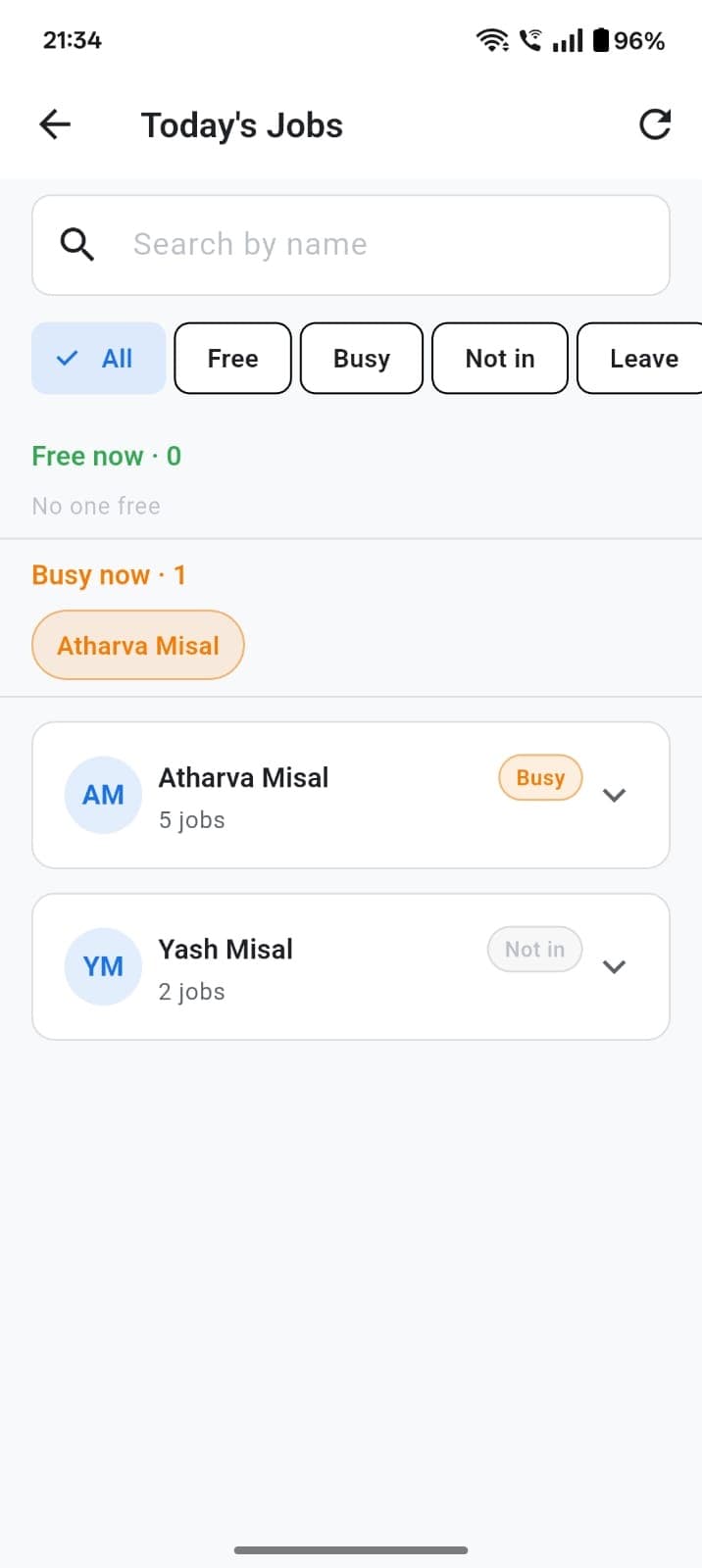
- Technician dispatch & today board: New repair calls go to whoever is free right now, and the board shows who is still at a previous home.
- Jobs & work orders: A machine waiting for a part stays on hold with a comment about which part was ordered, so the revisit is not forgotten.
- Staff cash & bank accounts: Cash collected at each home is linked to the job, and the technician's cash balance is settled in the evening.
- Field expenses: A part bought from a local shop on the way is logged with a bill photo and paid from the technician's cash.
- Customer management: When the same customer calls again, their past repairs show who went and what was replaced.
- Job alerts & notifications: A technician on the road gets the next repair as a phone alert with the address and fault description.
From enquiry to payment
- Customer calls; create a job with the appliance, brand and fault.
- Assign it to a free technician from the Today board.
- Technician diagnoses the fault and fixes it or puts the job on hold for a part.
- Bill the part and labour, and share the bill on WhatsApp.
- Record cash or UPI at the door, linked to the job.
- Settle the technician's cash at the shop in the evening.
What it does not do
- Brand warranty claims with manufacturers are handled outside TeamShastra.
- Serial-number warranty records per appliance aren't stored.
Questions from appliance repair businesses
Straight answers about appliance repair in TeamShastra.
How do I handle a repair that needs a part to be ordered?
Put the job on hold and add a comment with the part name and when it is expected. When the part arrives, move the job back to in progress and send the technician. The job stays in the open list, so it cannot slip away.
Can I bill a customer at the door?
Yes. Make the invoice from the phone with the part and labour charges, and share the PDF on WhatsApp. If you save your UPI ID, the bill carries a scan-to-pay QR. The technician then marks the job as paid by cash or UPI.
How do I stop cash shortfalls at the end of the day?
Each job records how much was collected and how. Parts bought on the road are logged as expenses paid from the technician's cash. In the evening, the technician's cash screen shows what they should hand over, so a gap is visible right away.
Can I see if a customer had the same fault before?
Yes. Open the customer's record to see all past jobs with notes and photos. If a washing machine motor was replaced a month ago, you will know before sending anyone, which helps decide whether it is a free revisit.
Can I take a machine to the shop and still track it?
Yes. Keep the same job open and add a comment that the machine was taken to the shop, with a photo. When it is repaired and delivered, add the delivery photo and complete the job. The customer's history stays in one record.
Keep exploring
Plans and prices are on the pricing page.