Cleaning service software for crews, wages and site proof
Six cleaners at a client's office by 8 AM, two more on a deep clean across town. Cleaning service software has to know who reached which site. TeamShastra tracks crew attendance at client sites, pays per-day staff correctly and records consumables with before-after photos.
How the work really runs
Cleaning businesses come in two shapes. Deep-cleaning firms send a crew of three or four to a home or office for a day: kitchen degreasing, bathroom descaling, sofa shampooing, floor scrubbing. Housekeeping contractors place staff at offices, hospitals or societies every day on a monthly contract.
Both depend on people being where they should be. Clients complain quickly if a housekeeper did not show up or a crew arrived late. Most staff are paid per day, so every present day, half day and absence affects salary.
Consumables cost real money: chemicals, mops, scrub pads, garbage bags and machine spares. Supervisors buy them on the go and claim later.
Paper registers at each site are easy to fake and hard to collect. Salary at month end is calculated from these registers, and disputes are common. Clients ask for proof of work, and before-after photos sit on a supervisor's phone.
And when a client's admin manager calls to say the washroom wasn't cleaned on Monday, there's nothing to show them.
Where it usually goes wrong
- Staff spread across many client sites with paper registers
- Per-day wages that change with every absence and half day
- Clients complaining about missed shifts or late crews
- Consumables bought by supervisors without receipts
- Deep-cleaning clients wanting before and after proof
Why cleaning service software starts with attendance
- GPS attendance with selfie: Housekeepers check in at the client site with a selfie, and the saved location shows they were there at the start of the shift.
- Staff salary & payroll: Per-day wages are worked out from present days, half days and holidays, so month-end pay is based on records, not registers.
- Leave management: Staff request leave from the phone, which lets a supervisor arrange a replacement before the client notices.
- Field expenses: Supervisors log chemicals and mops with a bill photo, and the owner approves each claim.
- Service report PDF: Deep-cleaning crews photograph each room before and after, and the client gets a report the same evening.
- Hindi & Indian languages: Crews can use the app in Hindi, Marathi, Gujarati or Bengali, which makes daily check-in easy for everyone.
From enquiry to payment
- Client books a deep clean or signs a housekeeping contract; add them as a customer.
- Send a quotation and, once approved, create the job or the first day's jobs.
- Staff check in at the site with selfie and location.
- Crew adds before and after photos during the job.
- Share the report and bill the client.
- On salary day, open staff salary and pay straight from attendance.
What it does not do
- Rosters across sites are planned by your supervisor; nothing is scheduled automatically.
- Online bookings from a public website aren't handled.
Questions from cleaning & housekeeping businesses
Straight answers about cleaning & housekeeping in TeamShastra.
Can housekeepers at different client sites check in?
Yes. Each person checks in from their phone at the site. You can require a live selfie and GPS. If you want check-ins only at known places, add office pins for client sites with a radius, so check-ins elsewhere are refused.
How are per-day staff paid in TeamShastra?
Set each person's wage as Per day. When you open staff salary for the month, the app counts present days and half days from attendance, applies your holiday rules, and shows the amount due. Advances are cut when you pay.
Can I give deep-cleaning clients before and after photos?
Yes. The crew takes photos at the start and end of each room or area and adds them to the job. Both sets go into the service report PDF, ready to share on WhatsApp before the crew leaves. Clients who were at work all day like seeing it.
How do I control spending on cleaning supplies?
Ask supervisors to log every purchase as an expense with a bill photo and category, such as chemicals or tools. You approve or reject each one. Reports by category then show how much each month goes on supplies. Rejected claims are reversed.
Can I mark attendance for a whole crew at once?
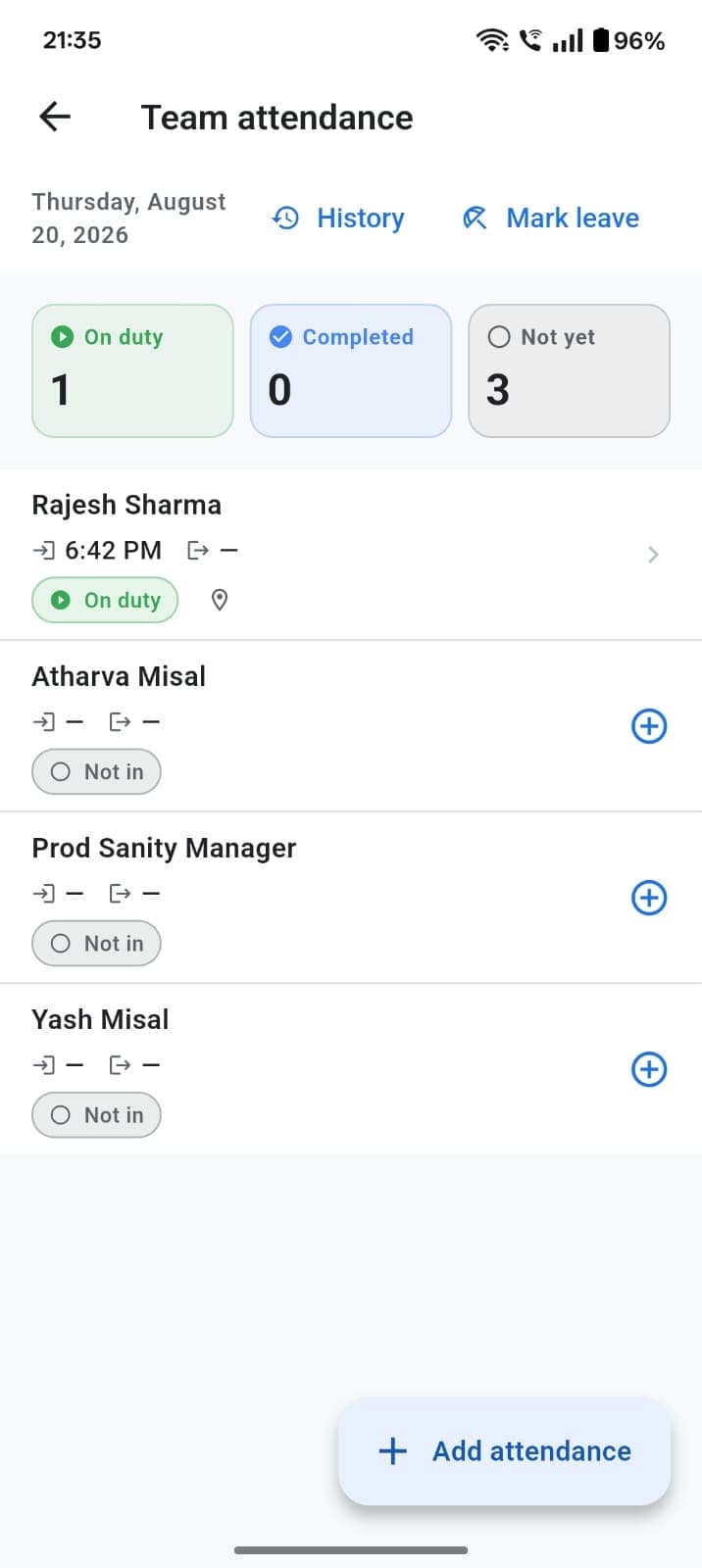
Yes. Managers can use the team attendance screen to mark everyone present for a day in one go, skipping those who already checked in or are on leave. It helps on days when some staff have no phone with them.
Keep exploring
Plans and prices are on the pricing page.