GPS attendance app with selfie check-in for field staff
Your technician says they reached the society gate at 9:15. With a GPS attendance app you don't need to take their word for it. In TeamShastra staff check in from their phone, the location at that moment is saved, and you can add a selfie or office distance rule when you want more proof.
The problem
Your technician says he reached the site at 10. The customer says nobody came till 12. With a paper register or a "reached" message on WhatsApp, you cannot check who is right.
Some staff ask a friend to mark them present. Others punch in from home. Come salary week you argue about half days, and pay goes out on trust, not proof.
Biometric machines do not help a field team either. They only work if everyone comes to the office first, and most of your work starts at customer sites across the city.
Asking every person to send a location pin on WhatsApp sounds simple, but nobody checks those pins later. They scroll away within a day, and the proof is gone just when the salary question comes up.
How the GPS attendance app checks each punch
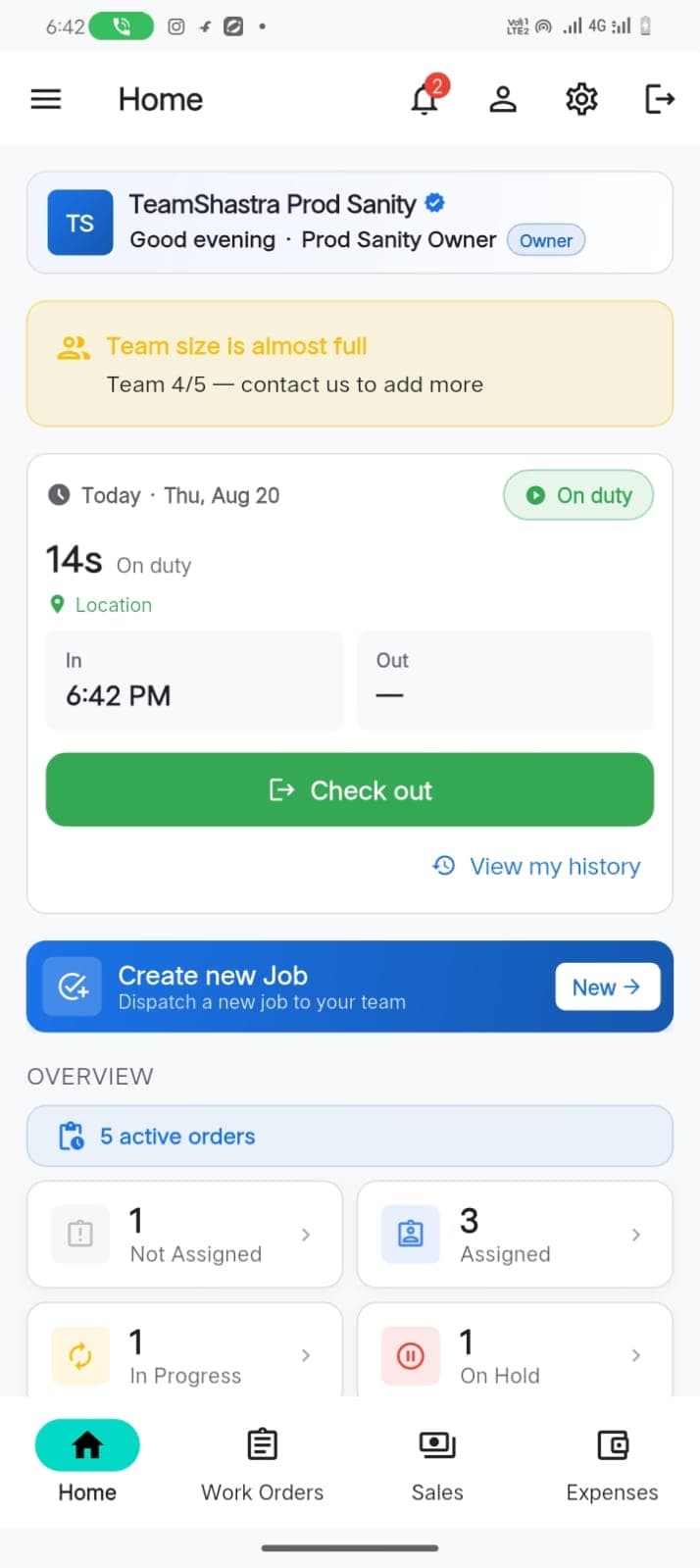
Staff tap Check in on the Home screen. TeamShastra saves the location only at that moment, not all day. You can make GPS compulsory, allow check-in only within a set distance of your office pins, and ask for a live selfie (gallery photos are not accepted).
If the phone has no network, the check-in is saved and synced later. That matters in basements, lifts and rural sites where signal drops.
Managers see who is on duty today, and owners can correct a wrong entry with a reason that stays on record. Every person also has an attendance history, so you can open any day of the month and see the check-in and check-out times.
You can set more than one office pin. A company with a main shop and a godown can allow check-in at either place, each with its own radius. Field staff who start at a customer site can be allowed to check in from anywhere, with GPS saved for your review.
For a wider view, see the attendance management software overview.
How it works in the app
- In Company settings, choose whether GPS is required and whether a selfie is needed.
- Add your office locations and the allowed distance around each one, if you want an office rule.
- Staff tap Check in on the Home screen when the shift starts.
- The app captures the location and, if turned on, a live selfie from the front camera.
- Managers open Team attendance to see who is on duty, not in, or on leave.
- Owners fix a wrong punch in the correction screen and type the reason.
Who it is for
For owners, the payoff is paying salary on proof. Managers use it each morning to see who has started. Technicians use it to show they were on time, which protects them in a dispute too. It fits CCTV installers, cleaning and housekeeping companies, fire safety teams and electricians who start at different sites.
Benefits
- Proxy and home check-ins become easy to spot
- Selfie and office radius rules are optional, so you choose the level of control
- Check-ins made without network are not lost
- Corrections leave a reason behind, so the record stays honest
- Attendance feeds straight into staff salary for the month
What it does not do
- Nobody is followed on a map through the day. Location is saved only at the punch.
- Fingerprint and face-reading machines on the office wall can't be connected.
Questions about gps attendance with selfie
Straight answers about gps attendance with selfie in TeamShastra.
Does the app keep checking my staff's location after they check in?
No. Location is taken at check-in and at check-out. Nothing runs in between to follow the phone. Many staff are more willing to use an attendance app once they understand this. If you also use the team map, it only shows pins from moments when the person checks in, starts a job or adds a job photo.
Can staff use a photo from the gallery for the selfie?
No. When the selfie rule is on, the app opens the front camera and asks for a live photo at the time of check-in. Pictures already saved in the gallery cannot be picked. This stops people from reusing an old photo to mark attendance.
How does the office radius rule work?
You drop one or more pins for your offices and set how many metres around each pin count as inside. With the rule turned on, a check-in outside every allowed circle is not accepted. Field teams that start at customer sites usually keep this rule off and rely on the saved location instead.
What happens if a technician checks in with no mobile signal?
The check-in is saved on the phone with its time and location. When the phone gets network again, it syncs to your company. The time shown is the time they actually tapped, not the time the sync happened, so a weak signal does not make anyone look late.
Can I change a wrong check-in time?
Yes. Owners can correct an attendance entry or add a missing session for a person. A reason must be written for the change, and that reason stays with the record. This keeps things fair when a phone died or someone forgot to check out at night.
Is this suitable for staff who never come to the office?
Yes. Keep the office radius rule off and turn on GPS and selfie. Staff check in from the first customer site of the day. You still get a time, a location and a face for each punch, which is usually enough to settle doubts at month end.
Keep exploring
Plans and prices are on the pricing page.