Leave management app for staff, half days and holidays
Half the team wants the day before Diwali off, and you need to know who's actually coming. TeamShastra has a leave management app inside the same tool your team already uses for jobs and attendance. Staff ask for leave on the phone, you approve it or mark it yourself, and salary picks it up.
The problem
In a small business, leave is usually a word in passing. "Sir, I will not come tomorrow." The owner agrees, forgets, and at month end the staff member says it was paid leave while the owner remembers it as unpaid.
Half days are worse. A technician leaves at two for a hospital visit. Nobody writes it down. Was it a half day or a full day? Should the salary be cut? Each case becomes a small fight, and good people feel cheated.
Festival holidays add another layer. Some are paid, some are not, and every year the rules are argued again.
When two people take leave on the same busy day, the owner finds out only at 10 AM, when jobs are already promised. A written request a day earlier would have allowed a quick plan, but there is no simple way to ask for one.
What the leave management app tracks
In TeamShastra a staff member opens Request leave, picks the date and type, and writes a reason. The owner or manager sees the request and approves or rejects it. Managers can also mark leave, half day, absent or holiday directly for anyone on the team.
Owners can set a yearly paid-leave quota for the company and give a different number to one person if needed. Paid leave used is counted for each person, so a quick look tells you how many days are left.
Company holidays are added once and can be marked paid or unpaid, including a half holiday. All of this sits next to attendance. When you open staff salary for the month, the days of leave, half days, holidays and absences are already counted. Nobody needs to search a diary to work out pay.
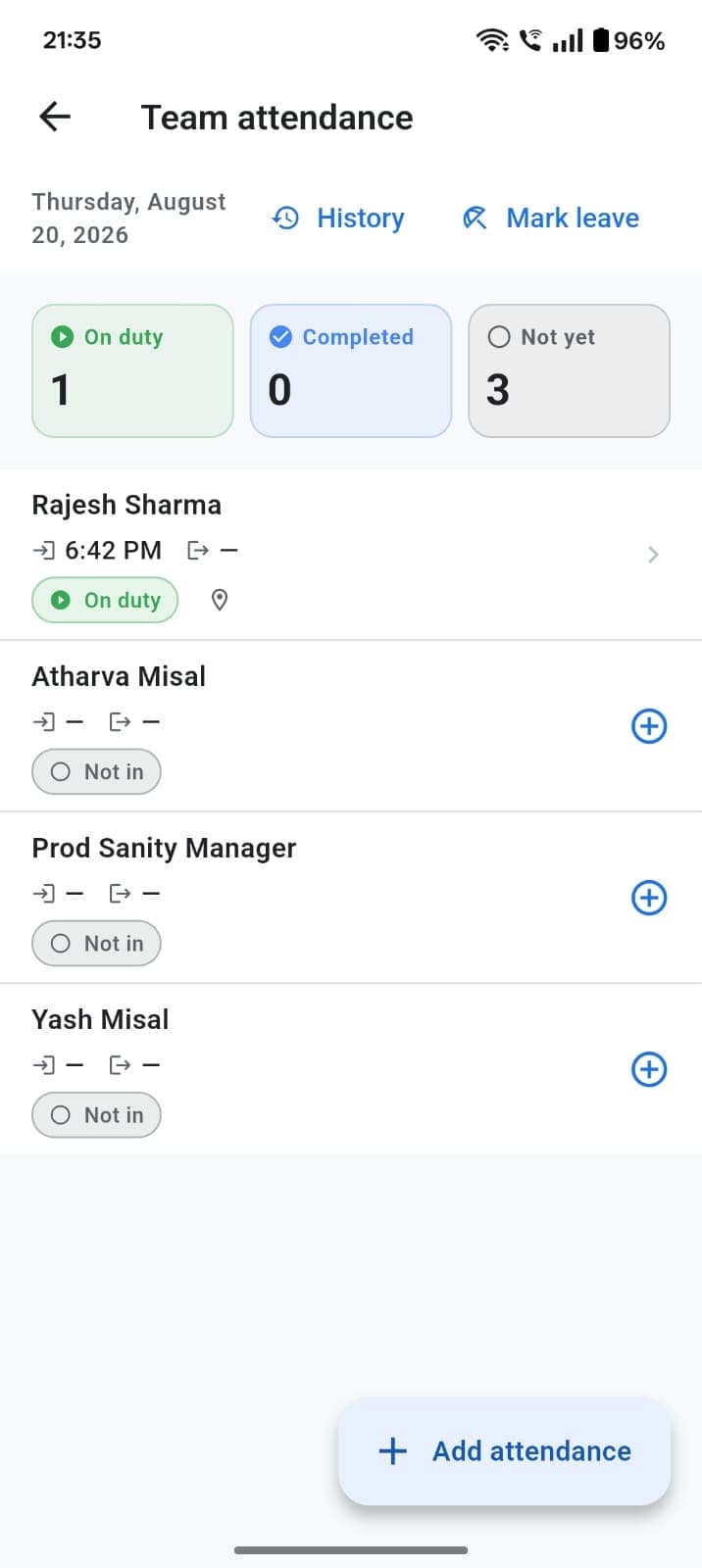
Managers also have a team attendance screen to mark everyone for a day at once. It skips people who already checked in or have leave, which saves time on busy mornings.
How it works in the app
- Set the yearly paid-leave quota in the leave or salary settings.
- Add company holidays and mark each one paid or unpaid.
- Staff open Request leave, choose the date and type, and add a reason.
- The manager approves or rejects the request from the app.
- Managers use Mark leave for anyone who did not ask in advance.
- Open staff salary at month end; leave and half days are already in the count.
Who it is for
Fewer salary disputes is the main reason owners switch it on. Managers use it to plan the week knowing who will be away. Staff use it to ask for leave formally and keep their own record. It helps cleaning companies, RO service teams, inverter dealers and any business with ten or more people on the field.
Benefits
- Every leave request has a date, a type and a reason
- Half days are recorded on the day, not argued about later
- Paid leave balance is clear to owner and staff
- Holidays are set once for the whole company
- Salary for the month already reflects every leave entry
What it does not do
- State-wise holiday lists aren't loaded for you, so you add your own holidays.
- Leave encashment and gratuity are outside what it tracks.
Questions about leave management
Straight answers about leave management in TeamShastra.
Can staff apply for leave from their phone?
Yes. Staff open Request leave in the app, choose the day, pick full day or half day, and type a short reason. The request goes to the owner and managers. Once approved, it shows on the Today board as on leave and is counted in attendance for that day.
How is a half day counted in salary?
A half day is stored as its own entry, separate from full leave and absence. When the owner opens staff salary for the month, half days are counted as half of a working day. The exact effect depends on the wage type you set for that person, such as monthly or per day.
Can different staff have different paid leave limits?
Yes. You set a yearly paid-leave number for the company. If one senior technician has a different arrangement, you can give that person their own number. The app then tracks how many paid days each person has used against their own limit.
What is the difference between leave and absent?
Leave is a planned day off that was asked for or approved. Absent means the person did not come and did not have approved leave. Keeping them separate helps you see patterns, such as someone who often skips work without informing, and treat it fairly in salary.
Can I mark a holiday as unpaid?
Yes. When you add a company holiday you choose whether it is paid or unpaid. Half holidays work too, say the evening before Diwali. Staff salary uses these rules automatically when you open the month. Holiday rules apply to the whole team.
Keep exploring
Plans and prices are on the pricing page.