A GST billing app built into your job workflow
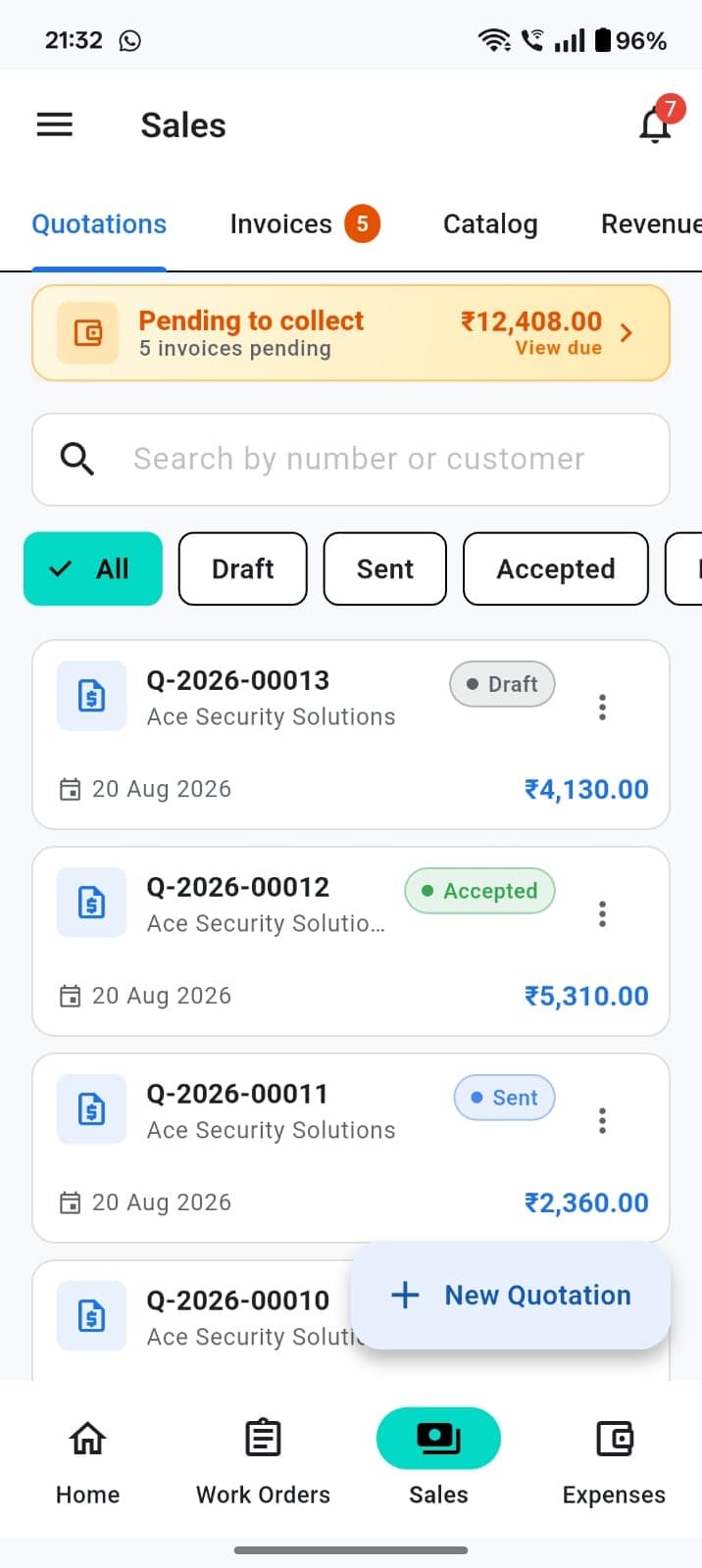
The customer won't release payment until the GST bill reaches them on WhatsApp. With a GST billing app sitting next to your jobs, customers and stock, that's a few taps. TeamShastra works out the tax split, makes the PDF and records the payment against the same bill.
The problem
Many service owners make bills at night in Word or Excel. They copy the customer's GSTIN from an old message, type the HSN code from memory and work out tax with a calculator. One wrong state and the whole bill has the wrong tax type.
Others use a separate billing tool on the office computer. The technician finishes the job at 4 PM, but the bill goes out two days later when someone sits at that computer. By then the customer has moved on and payment drags.
Then come part payments. The customer pays half by UPI and promises the rest next week. That promise lives only in the owner's head.
Customers notice the delay and the mistakes, and some start doubting your rates rather than paying on time.
Documents you can make in the GST billing app
Pick the customer, add items from your catalog, and the app fills HSN or SAC codes and rates you saved earlier. The tax is CGST plus SGST when the place of supply is in your state and IGST when it is outside. You do not choose it by hand each time, though an invoice can be overridden when a special case needs it.
Besides tax invoices you can make a bill of supply, a proforma invoice, credit notes, debit notes, delivery challans and purchase orders. A proforma does not touch stock or payments, so it is safe to send as an advance estimate of the bill.
Record a full or part payment against the bill into a bank account or cash. The pending amount stays visible until it is cleared. Save your bank details and UPI ID once and they print on the PDF; with a UPI ID saved, bills with an amount due also carry a scan-to-pay UPI QR. Share the PDF on WhatsApp straight from the invoice.
For a wider view, see the GST invoicing software overview.
How it works in the app
- Fill your GSTIN, state and invoice number prefix in GST settings.
- Add your services and products to the catalog with HSN or SAC codes and tax rates.
- Open Sales, choose the document type, and pick the customer.
- Add items; the app sets CGST and SGST or IGST from the place of supply.
- Save and share the PDF on WhatsApp.
- Record a payment when the customer pays, in full or in parts.
Who it is for
Billing screens stay with owners and managers. Technicians never see them. It is made for service businesses that also sell material, such as CCTV installers, inverter and battery dealers, IT and networking firms, and home automation installers.
Benefits
- The right tax type is set from the place of supply every time
- Bills can be made the same day the job is completed
- Part payments are tracked until the bill is fully paid
- Customers can pay faster by scanning the UPI QR on the bill
- Stock and customer balances update from the same document
What it does not do
- Filing returns on the GST portal isn't done here. Hand the GST reports to your CA instead.
- There's no link to the GST system for generating invoice reference numbers.
Questions about gst billing & invoices
Straight answers about gst billing & invoices in TeamShastra.
How does the app decide between IGST and CGST plus SGST?
It compares your company's state with the place of supply on the bill. If both are the same state, the tax is split into CGST and SGST. If they differ, the full rate is charged as IGST. The split is shown on the invoice and in the PDF so your customer and CA can check it.
Can I make a bill of supply if I am under composition?
Yes. A bill of supply is one of the document types. Composition dealers and sellers of exempt items use it because it does not charge GST to the customer. You can pick it in the same Sales screen where you make tax invoices.
Is a proforma invoice counted as a sale?
No. A proforma invoice is a preview of the bill. Stock stays as it is and no payment due is created. Once they confirm, make the real tax invoice. This keeps your GST reports clean. Proformas are also handy for advance requests.
Can customers pay by scanning a QR on the bill?
Yes, if you save your UPI ID in the invoice format settings. Quotations, invoices and customer debit notes that have an amount due then print a scan-to-pay UPI QR on the PDF. Your bank account details can also be printed for customers who prefer a transfer.
Do I need a computer to make GST bills?
No. Bills can be made on the Android app at the site or in the shop. Owners who like a bigger screen can use the web app at app.teamshastra.com on a laptop. Both show the same bills, customers and catalog.
Can I add a short description under each item?
Yes. An optional item description line can be turned on in GST settings. It appears under the item name on the screen and on the PDF. It is useful for noting a camera model, a cable length or the scope of a service.
Keep exploring
Plans and prices are on the pricing page.